Polyphonic voices
Play live or place up to eight notes on the same sequencer step.
Parameter lock polysynth
Every step can become a new sound. Build polyphonic patterns where chords, filters, envelopes and effects move exactly the way you want.
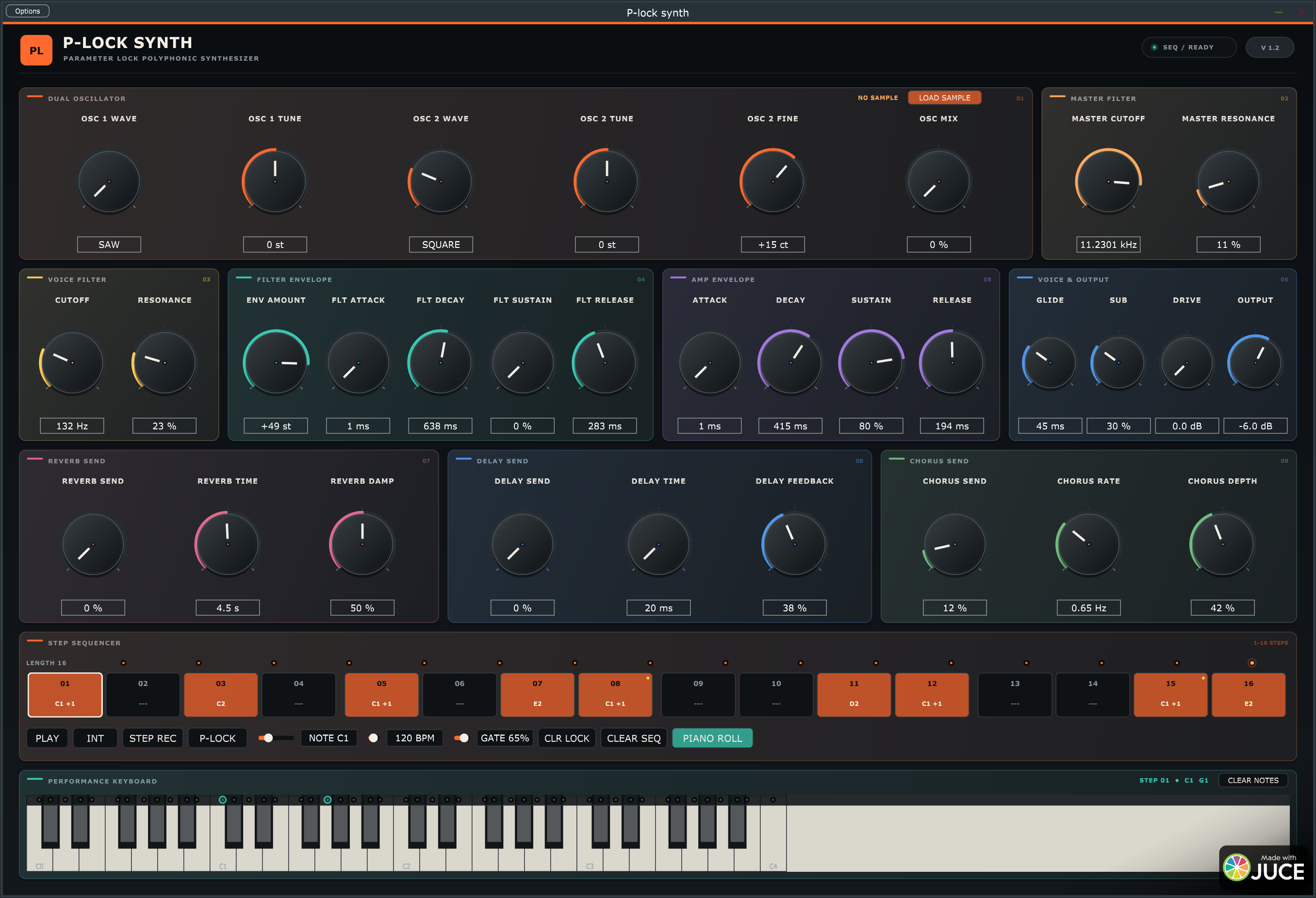
01 / PARAMETER LOCKS
Enable P-LOCK, select a step and turn a knob. The value is stored only on that step. The next step can have a different waveform, cutoff, envelope or effect level – without extra automation lanes.
Play live or place up to eight notes on the same sequencer step.
Choose any pattern length and create loops that shift and breathe.
Saw, square, triangle, sine, sub oscillator and your own samples.
Lock synth and effect parameters independently on every step.
02 / WORKFLOW
Click notes into the piano roll or record chords step by step from MIDI.
Blend two oscillators, a sub oscillator, ladder filter and separate filter and amp envelopes.
Give every step its own knob values – including trigless locks without a new note.
Reverb, ping-pong delay and chorus continue ringing between steps.
03 / SOUND ENGINE
Independent octave, semitone, fine tuning and mix – plus sample mode with WAV, AIFF and FLAC.
A resonant ladder filter per voice and a separate master filter after the complete effect bus.
A dedicated amp ADSR and bipolar filter envelope with ±72 semitones of movement.
Long stereo reverb, ping-pong delay and chorus with parameter-lockable sends and times.
External MIDI, step recording, performance keyboard and host sync when using the VST3 version.
Parameters, patterns, chords, length and parameter locks are restored with your DAW project.
DOWNLOAD
One package with the standalone Windows app and VST3 plugin.
Download P-lock synthZIP for Windows · 64-bitRight-click the ZIP file and choose Extract All.
Open P-lock synth.exe to play immediately as a standalone synthesizer.
Copy the complete plugin folder to C:\Program Files\Common Files\VST3\ and rescan plugins in your DAW.
Windows may display a security warning because the app is not digitally signed. Choose “More info” and “Run anyway” if you want to continue.